Learn what XLiveon IPTV offers: features, pricing, setup guide, pros & cons, customer support, alternatives, FAQs, and whether it’s worth subscribing.
What is XLiveon IPTV?
XLiveon IPTV is an internet-based television service that delivers live TV channels, movies, and on-demand content over a broadband connection. Instead of using cable or satellite, users stream content through apps on Smart TVs, mobile devices, and streaming platforms. The service mainly targets cord-cutters looking for a wide range of channels at a lower monthly cost.
Features
1. Wide Channel Coverage
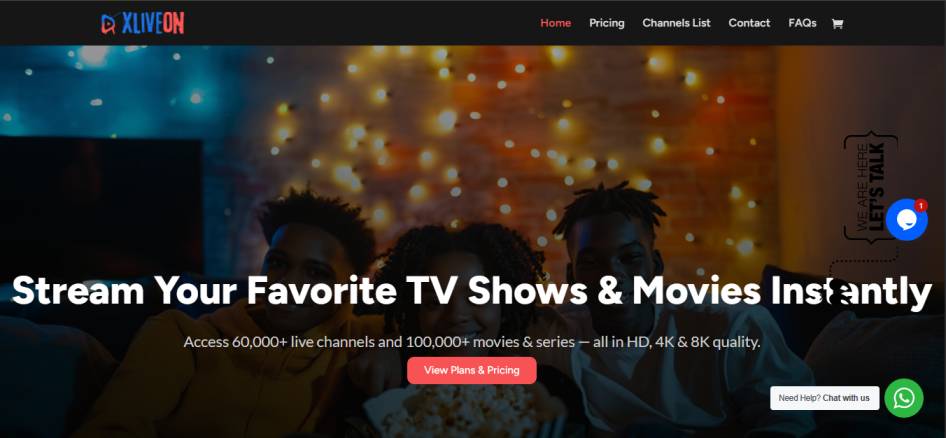
XLiveon IPTV includes a large number of live TV channels across categories like news, sports, entertainment, lifestyle, and international content.
2. On-Demand Library (VOD)
Subscribers get access to movies, TV shows, and series that can be streamed anytime.
3. HD to 8K Streaming Quality
The platform supports high-resolution streaming depending on the user’s internet connection and device capability.
4. Multi-Device Support
Can be used on Smart TVs, Android and iOS phones/tablets, laptops, and popular streaming devices such as Firestick.
5. Instant Activation
Accounts are activated quickly after payment, allowing users to start streaming without long wait times.
6. Electronic Program Guide (EPG)
Many compatible apps display schedules and program listings for easier navigation.
Pros & Cons
Pros
- Large channel list covering many genres
- Supports high-definition and ultra-HD streaming
- Works on multiple devices and platforms
- Quick setup and activation
- Includes movies and series in VOD section
Cons
- Licensing transparency and legality may not be clearly defined
- Website reputation scores vary across reviewers
- No guaranteed free trial for all users
- Customer support responsiveness may vary
- Reliance on strong internet for best quality
Pricing
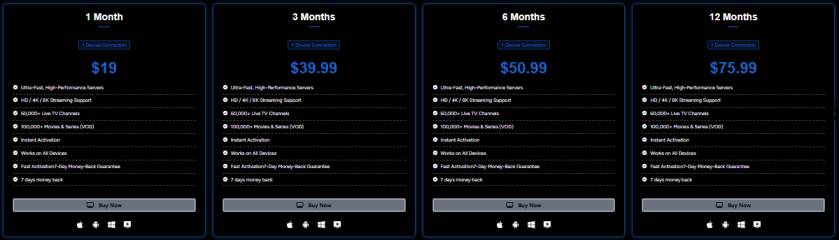
- 1 months =$ 19
- 3 months =$ 39.99
- 6 months =$ 50.99
- 12 months =$ 75.99
Installation Guide
- Purchase a Subscription: Complete payment and wait for IPTV login details.
- Install an IPTV Player: Use apps like IPTV Smarters, TiviMate, or similar IPTV players.
- Enter Login Credentials: Input your M3U URL or username/password.
- Load Channels & VOD: Let the app load content lists.
- Start Streaming: Choose channels or VOD content and enjoy streaming.
Payment
- Credit/debit cards
- Online payment
- Crypto currency
Free Trial
XLiveon does not traditionally offer an open free trial to all users. Instead, some users may receive a short trial period or rely on a money-back guarantee offered within a limited time frame.
Support
- Setup and installation
- Account activation
- Technical troubleshooting
Best Alternatives
Conclusion
XLiveon IPTV offers a high-content streaming experience with a large channel variety, VOD options, and support for multiple devices. While it can be appealing for cord-cutters, factors like unclear licensing, mixed trust ratings, and variable support should be considered before subscribing. Users seeking reliability may prefer established IPTV alternatives with verified legal frameworks.
FAQs
Q1: Is XLiveon IPTV legal?
The legality depends on content licensing, which is not clearly defined. Users should research before subscribing.
Q2: Does XLiveon IPTV work on Firestick?
Yes, it can be used with IPTV player apps installed on Firestick devices.
Q3: Do I need a fast internet connection?
Yes. For smooth HD or 4K streaming, a stable high-speed connection is recommended.
Q4: Does XLiveon IPTV offer international channels?
Yes, it includes channels from different countries across various regions.
Q5: What devices are supported?
Smart TVs, smartphones, tablets, PCs, and streaming devices are generally supported via IPTV apps.