Explore what LunoTV is, its features, pricing, installation steps, pros and cons, support, alternatives, and FAQs to decide if this IPTV service fits your needs.
What Is LunoTV?
LunoTV is an IPTV (Internet Protocol Television) service that delivers live TV channels, movies, series, and on-demand content through an internet connection. It aims to replace traditional cable or satellite TV by offering a subscription-based streaming alternative that works on multiple devices without contracts or additional hardware.
Features
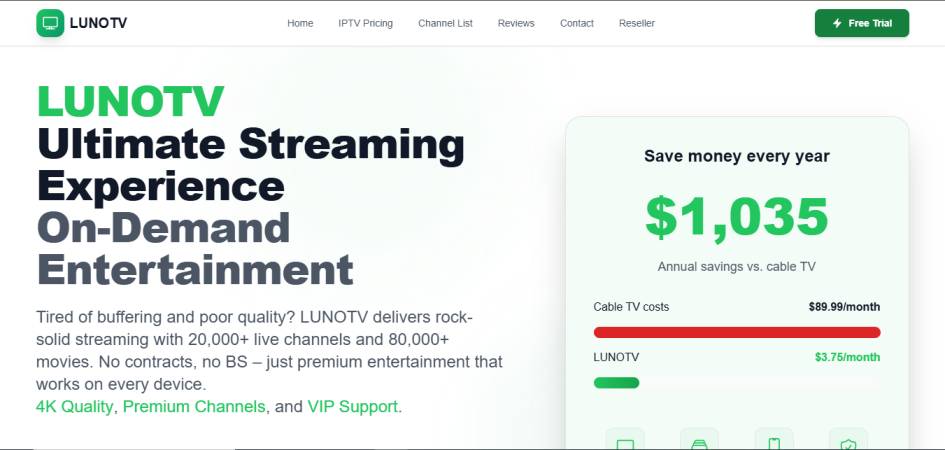
- Large Channel Selection: Provides access to a wide range of global TV channels along with movies and series on demand.
- HD, Full HD & 4K Streaming: Supports higher resolutions depending on content availability.
- Multi-Device Compatibility: Works on Smart TVs, Android devices, iOS devices, PCs, FireStick, MAG devices, and IPTV players.
- Electronic Program Guide (EPG): Helps users navigate channels and schedules.
- VOD (Video on Demand): Movies and series available in categorized sections.
- No Long-Term Contracts: Flexible month-to-month subscription structure.
- 24/7 Customer Assistance: Offers worldwide technical and general support for subscribers.
Pros & Cons
Pros
- Wide content library
- Supports HD and 4K quality
- Works on multiple device types
- Affordable pricing compared to cable TV
- No installation fees or contracts
Cons
- Limited transparency on licensing
- Not available through official app stores
- May require third-party IPTV player setup
- Mixed reliability depending on connection and region
- Legality varies based on regional broadcasting rules
Pricing
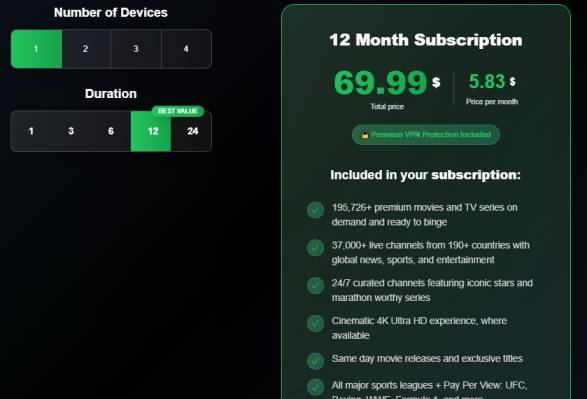
- 1 months =$ 14.99
- 3 months =$ 24.99
- 6 months =$ 39.99
- 12 months =$ 69.99
Installation Guide
- Choose a Subscription: Select a suitable plan from the provider.
- Receive Login Credentials: After purchase, you receive login details such as M3U URL or Xtream codes.
- Install an IPTV Player: Download a compatible IPTV player app on your device (e.g., IPTV Smarters, TiviMate, OTT Navigator).
- Enter Credentials into App: Input your provided username, password, and server URL.
- Start Streaming: Load the playlist and enjoy channels or VOD content.
Payment
- Credit/Debit Cards
- PayPal or Digital Wallets
- Mobile Payments
- Online Payment Gateways
Free Trial
LunoTV often offers a 24-hour trial or low-cost trial access, allowing new users to test the streaming quality, channel availability, and device compatibility before subscribing to a longer plan.
Support
LunoTV promotes 24/7 customer support through online chat, tickets, messaging apps, or email. Support typically covers:
- Login assistance
- Device setup help
- Technical troubleshooting
- Subscription or billing questions
Best Alternatives
Conclusion
LunoTV offers an affordable IPTV solution with a huge content selection, device flexibility, and high-resolution streaming options. However, its legal status, content licensing, and reliability may vary depending on your location. Users should evaluate these factors carefully before subscribing, especially if legal compliance and long-term stability are a priority.
FAQs
1. Is LunoTV legal?
It depends on local laws and content licensing regulations. IPTV services often operate in different legal frameworks across regions.
2. Does LunoTV support Smart TVs?
Yes, but it typically requires installing a third-party IPTV player rather than an official app.
3. Can I get HD or 4K content?
Yes, many channels and VOD items are available in HD or 4K if your connection supports it.
4. Can multiple devices use one account?
This varies by subscription type. Some plans allow multiple connections, others do not.
5. What if I face buffering?
Buffering can result from weak network conditions or server issues. Using a stable high-speed internet connection is recommended.