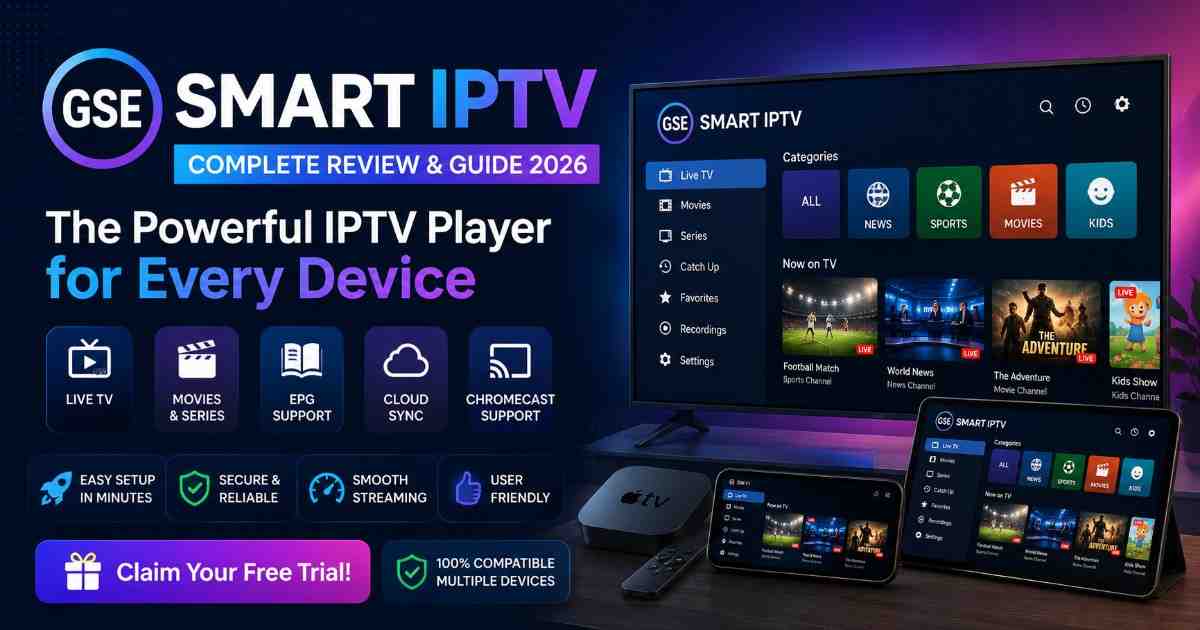
Discover GSE Smart IPTV features, pricing, installation steps, pros and cons, payment options, free trial details, support, and top IPTV alternatives.
The development of online streaming has seen the emergence of IPTV apps as the most convenient method of managing the consumption of digital TV content. Rather than sticking with conventional services like cable and satellite, there is a preference for IPTV players that enable users to control playlists, channels, and viewing experience.
GSE Smart IPTV is one of the many IPTV players which have received popularity due to its versatile nature as well as the ability to work with various devices and IPTV playlist formats.
What Is GSE Smart IPTV?
GSE Smart IPTV is an IPTV player application that enables streaming of IPTV channels via user-created playlists. This application can support different IPTV formats like M3U URLs, Xtream Codes API, and JSON playlists.
It acts as an intermediary between your IPTV subscription and your streaming media device. Once the login credentials have been added to the application, channels will be sorted by category and you’ll be able to enjoy live TV broadcasts, movies, and any other type of content provided.
GSE Smart IPTV is not an IPTV service provider. It neither hosts nor distributes channels; rather, it is a solution to stream IPTV.
Main Purpose of GSE Smart IPTV
The primary purpose of GSE Smart IPTV is to provide:
- A simple IPTV management system
- Playlist organization
- Smooth video playback
- Electronic Program Guide support
- Multi-device streaming capability
- Custom IPTV configuration options
How Does GSE Smart IPTV Work?
GSE Smart IPTV works through IPTV playlist integration. The process is simple:
- A user downloads and installs the application.
- The user adds IPTV subscription details.
- The application connects with the IPTV playlist.
- Channels and content categories appear inside the app.
- Users can browse and stream available content.
The quality of streaming depends mainly on:
- Internet speed
- IPTV provider reliability
- Server performance
- Device capability
The application itself does not improve or reduce channel quality because it only acts as a player.
GSE Smart IPTV Features
1. Wide Device Compatibility
One of the strongest advantages of GSE Smart IPTV is its availability across multiple platforms.
Supported devices include:
- Android phones
- Android tablets
- iPhone devices
- iPad devices
- Apple TV
- Mac computers
- Smart TVs (depending on operating system)
This allows users to manage IPTV content across different devices.
2. M3U Playlist Functionality
The GSE Smart IPTV software application is capable of processing M3U playlists, which are among the most popular types of IPTV playlists.
Advantages include:
- EASY playlist importation
- Support for remote URL
- Playlist management
- Automatic playlist updating
Users can input playlist URLs rather than typing in individual channels manually.
3. Xtream Codes API Support
The application supports Xtream Codes API login, allowing users to connect IPTV services using:
- Username
- Password
- Server URL
This method automatically loads:
- Live channels
- Movies
- TV series
- Categories
- EPG information
4. Electronic Program Guide (EPG)
The implementation of an EPG plays a vital role in improving the experience of the viewer when watching live television programs.
Through the use of EPG, the following can be viewed:
- Current television programs
- Upcoming television programs
- Television program schedule on different channels
- Description of the program
This will make sure that the IPTV functions like a normal TV service.
5. Multiple Playlist Management
GSE Smart IPTV allows users to add and manage multiple playlists.
This is useful for users who have:
- Multiple IPTV subscriptions
- Different content sources
- Separate entertainment categories
6. Inbuilt Media Player
The app contains an inbuilt media player that comes with functionalities such as:
- Smooth playback
- Subtitle function
- Audio track selection
- Fullscreen mode
- Player controls
External players can also be used by users.
7. Chromecast Support
GSE Smart IPTV supports casting features on compatible devices.
Users can stream IPTV content from mobile devices to larger screens.
Benefits include:
- Bigger viewing experience
- Easy device sharing
- Wireless streaming
8. Parental Control Features
The application provides options to organize and restrict content.
Parents can use these features to:
- Hide channels
- Lock categories
- Manage accessible content
9. Cloud Backup Features
Cloud playlist management allows users to save configurations and restore them when changing devices.
This reduces the need to manually configure IPTV settings again.
GSE Smart IPTV System Requirements
Before installing GSE Smart IPTV, users should ensure their device meets basic requirements.
| Requirement | Recommended |
|---|---|
| Internet Speed | 10 Mbps or higher |
| Device Storage | Minimum 100 MB free space |
| Operating System | Updated Android/iOS version |
| Connection Type | Stable Wi-Fi or Ethernet |
| Display | HD or 4K compatible device |
GSE Smart IPTV Pros and Cons
| Advantages | Disadvantages |
|---|---|
| Supports multiple IPTV formats | Does not include IPTV channels |
| Works on various platforms | Setup may confuse beginners |
| Good playlist management | Requires external IPTV subscription |
| Supports EPG | Some features vary by device |
| Customizable interface | No guaranteed IPTV service quality |
| Supports subtitles and external players | Limited official support |
GSE Smart IPTV Pricing
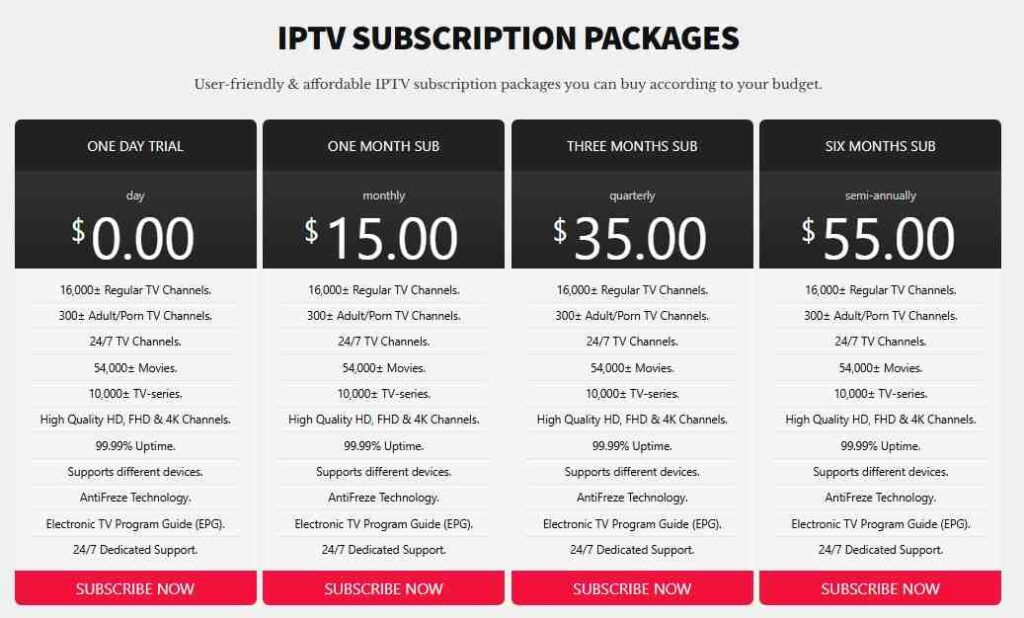
| Plan | Price | Best For |
|---|---|---|
| Free | $0.00 | Casual users |
| 1 month | $15.00 | Advanced users wanting extra features |
| 3 month | $35.00 | IPTV service providers |
| 6 month | $55.00 | Access to core IPTV player features, playlist support, and basic streaming functionality. |
| 12 month | $85.00 | White-label solutions, branding options, multi-user management, and enterprise-level deployment. |
GSE Smart IPTV Installation Guide
Procedure for Installing GSE Smart IPTV on an Android Phone
Step 1:
Google Play Store
Step 2:
Search “GSE Smart IPTV”
Step 3:
Download the App
Step 4:
Install the App
Step 5:
IPTV Account Login Playlist – M3U API – Xtream Codes
Step 6:
IPTV Login Details
Step 7:
Start Now
Payment Options
GSE Smart IPTV payment depends on the platform.
Common payment methods include:
- Credit cards
- Debit cards
- Apple App Store payments
- Google Play payments
IPTV subscriptions are paid separately through the chosen IPTV provider.
Always check payment security, refund policies, and service reputation before purchasing IPTV services.
Does GSE Smart IPTV Offer a Free Trial?
GSE Smart IPTV itself does not provide IPTV channels or subscription trials.
The application can usually be downloaded and tested with your own playlist. Any IPTV free trial depends on the IPTV provider you choose.
A reliable IPTV provider should clearly explain:
- Trial duration
- Available channels
- Refund policy
- Subscription terms
Customer Support Review
GSE Smart IPTV offers basic customer support services via application-based support and platform support services.
These can include:
- Application documentation
- FAQs
- Forums
- Platform support
But the problem of IPTV stream quality issues lies with the IPTV service providers and not the software itself.
Problems can be:
- Buffering
- Downtime
- Login error
- Subscription expired
These types of issues need to be sorted out by the IPTV service provider.
Best GSE Smart IPTV Alternatives
1. IPTV Smarters Pro
A popular IPTV player known for its beginner-friendly interface.
Features:
- Xtream Codes support
- Multi-screen viewing
- EPG support
- Modern design
Best for:
Users who want a simple IPTV experience.
2. TiviMate IPTV Player
One of the most advanced IPTV players for Android TV devices.
Features:
- Professional TV guide
- Multiple playlists
- Recording options
- Modern interface
Best for:
Advanced IPTV users.
3. Flix IPTV
A simple IPTV application focused on ease of use.
Features:
- Clean interface
- Subtitle support
- Multiple language options
Best for:
Users who prefer simplicity.
4. XCIPTV Player
A lightweight IPTV player with Xtream Codes support.
Features:
- Fast performance
- Built-in players
- Easy setup
Best for:
Users wanting a simple alternative.
Final Verdict: Is GSE Smart IPTV Worth Using?
GSE Smart IPTV is the best option available among other IPTV software because of its flexibility and compatibility with different types of devices. This program is perfect for people willing to create their IPTV playlist without having any fixed interface.
It is important for beginners to realize that the application itself cannot provide you with any IPTV content. Quality of the streaming will depend on the IPTV service provider and on your internet connection.
For people looking for a useful and flexible IPTV software that can be adjusted by the user, GSE Smart IPTV is the best choice for you. For people who don’t need a flexible software, IPTV Smarters Pro or TiviMate will suit better.
Frequently Asked Questions (FAQ’s)
Is GSE Smart IPTV an IPTV service?
No. GSE Smart IPTV is only an IPTV player application. It requires a separate IPTV playlist or subscription.
Can I watch live TV on GSE Smart IPTV?
Yes, but only after adding a compatible IPTV playlist.
Does GSE Smart IPTV support 4K streaming?
Yes, streaming quality depends on the IPTV source and device capability.
Is GSE Smart IPTV available for Android?
Yes, it supports Android devices.
Does GSE Smart IPTV work with Xtream Codes?
Yes, Xtream Codes API login is supported.

