Discover SNPlayer IPTV Player features, pricing, setup guide, pros and cons, free trial details, payment methods, and the best IPTV alternatives.
What is SNPlayer?
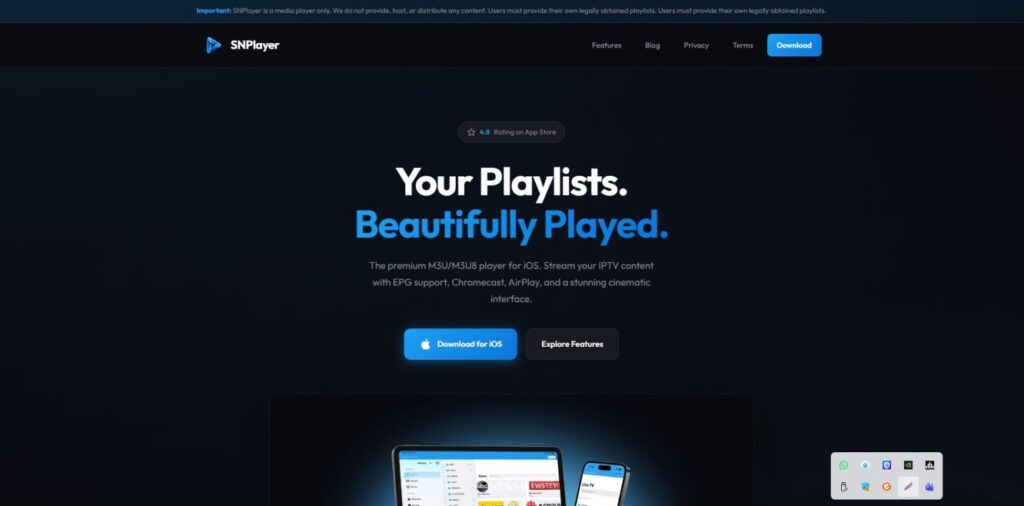
SNPlayer is a modern IPTV media player designed to stream live TV channels, movies, and series through Internet Protocol Television (IPTV) services. Instead of relying on traditional cable or satellite connections, SNPlayer allows users to watch content directly via internet streaming.
The player supports IPTV playlists such as M3U URLs, Xtream Codes API, and playlist files, making it compatible with many IPTV service providers. SNPlayer is built with a user-friendly interface and optimized streaming technology that ensures smooth playback with minimal buffering.
SNPlayer does not provide channels itself; rather, it works as a media player that connects to IPTV providers. Users simply enter their IPTV credentials or playlist link to start streaming content on supported devices.
Key Features of SNPlayer
SNPlayer offers a range of features that make IPTV streaming simple and efficient.
1. Multiple Playlist Support
Users can add IPTV services using M3U links, local playlists, or Xtream Codes login.
2. User-Friendly Interface
The application has a clean layout that allows easy navigation between live TV, movies, and series.
3. Electronic Program Guide (EPG)
EPG integration allows viewers to see upcoming TV programs and schedules.
4. High-Quality Streaming
SNPlayer supports HD and Full HD streaming with smooth playback.
5. Multi-Device Compatibility
It works on Android devices, Android TV boxes, Firestick, and Smart TVs.
6. Favorites and Category Management
Users can organize channels into favorites and custom categories.
7. External Player Integration
SNPlayer allows integration with external media players like VLC or MX Player.
Pros and Cons
Pros
- Easy to install and configure
- Supports multiple IPTV formats
- Clean and intuitive interface
- Smooth playback with minimal buffering
- Compatible with many devices
Cons
- Does not include built-in channels
- Requires a separate IPTV subscription
- Some features may require premium access
SNPlayer Pricing
SNPlayer generally offers both free and premium versions depending on the platform.
Free Version
- Basic IPTV playback
- Playlist support
- Limited advanced features
Premium Version
- Ad-free streaming
- Full EPG functionality
- Advanced player features
Pricing may vary depending on the device and region, but premium upgrades are typically affordable.
Installation Guide
Setting up SNPlayer is simple and usually takes only a few minutes.
Step-by-Step Installation
- Open the Google Play Store or app store on your device.
- Search for SNPlayer IPTV Player.
- Click Install and wait for the download to complete.
- Open the application after installation.
- Enter your M3U URL or Xtream Codes credentials provided by your IPTV service.
- Allow the app to load channels and start streaming.
For devices like Amazon Firestick or Android TV boxes, the installation process may require downloading the APK file.
Payment Options
SNPlayer premium subscriptions usually support multiple payment methods such as:
- Credit or Debit Cards
- PayPal
- In-app purchases through Google Play or Apple App Store
- Digital payment gateways depending on the platform
These flexible payment options make upgrading to premium features convenient for users worldwide.
Free Trial
Some versions of SNPlayer offer a limited free trial for premium features. This allows users to test advanced functionality before committing to a paid plan.
During the trial period, users can explore features like:
- Ad-free streaming
- Full EPG integration
- Enhanced playback options
If satisfied, users can upgrade to the full premium version.
Customer Support
SNPlayer provides customer assistance through several channels.
Support options may include:
- Email support
- Help center or FAQ section
- Community forums
- App store support pages
Users experiencing issues with playlists or playback can usually find solutions in the support documentation.
Best IPTV Alternatives
If you are looking for alternatives to SNPlayer, several IPTV players offer similar functionality.
Popular alternatives include:
- IPTV Smarters Pro
- TiviMate IPTV Player
- GSE Smart IPTV
- Perfect Player IPTV
These applications also support M3U playlists and Xtream Codes login, making them compatible with most IPTV services.
Conclusion
SNPlayer is a reliable IPTV media player designed for users who want a simple and efficient way to stream television through the internet. With support for multiple playlist formats, high-quality playback, and easy setup, it offers a convenient solution for IPTV streaming.
Although the player does not provide its own channels, it works seamlessly with many IPTV services. Its combination of user-friendly design, multi-device compatibility, and flexible playlist support makes SNPlayer a solid choice for IPTV viewers.
FAQ’s
1. Is SNPlayer free to use?
Yes, SNPlayer offers a free version with basic features, while advanced features may require a premium upgrade.
2. Does SNPlayer provide TV channels?
No, SNPlayer is only a media player. Users must add their own IPTV service.
3. What devices support SNPlayer?
SNPlayer typically supports Android devices, Android TV, Smart TVs, and streaming devices like Firestick.
4. Is SNPlayer legal to use?
The application itself is legal. However, users should ensure their IPTV provider offers licensed content.
5. Can I use SNPlayer with M3U playlists?
Yes, SNPlayer supports M3U URLs, playlist files, and Xtream Codes API.