Compare the best legal IPTV services in 2026. Explore pricing, live TV channels, sports coverage, supported devices, streaming features, and safe alternatives.
Which Legal IPTV Services Are Best in 2026? Features & Comparison
Choosing a legal IPTV service in 2026 can be challenging because streaming providers offer different channel lineups, subscription plans, sports coverage, and on-demand content. The best option depends on your budget, favorite channels, location, and the devices you use.
In this guide, we compare five popular live TV streaming services: YouTube TV, Hulu + Live TV, Sling TV, Fubo, and Philo. You’ll learn about their features, channel selection, pricing considerations, device compatibility, and potential limitations so you can choose the service that best fits your needs.
What Is Legal IPTV?
IPTV, or Internet Protocol Television, delivers television content over an internet connection. Legal live TV streaming services obtain the rights or authorization needed to distribute the content they offer.
Before subscribing to a provider, check its official website, company information, subscription terms, and available channel lineup. Be cautious of services advertising unusually large numbers of premium channels at extremely low prices without clearly explaining their licensing or business details.
Using an internet connection to watch television is not inherently illegal. The important distinction is whether the provider is authorized to distribute the content.
| Service | Main Strength | Sports Coverage | On-Demand Content | Ideal User |
| YouTube TV | Broad live TV experience | Available channels vary | Available features vary by plan | Families and general viewers |
| Hulu + Live TV | Live TV and entertainment integration | Varies by package | Hulu on-demand library | TV and series fans |
| Sling TV | Flexible package selection | Depends on package | Selected content and features | Budget-conscious viewers |
| Fubo | Sports-oriented offering | Sports-focused channel selection | Varies by plan | Sports fans |
| Philo | Entertainment-focused channels | Limited compared with sports-focused services | Available titles vary | Lifestyle and entertainment viewers |
1. YouTube TV — Best for Live TV
Best For: Viewers looking for a broad selection of live TV channels.
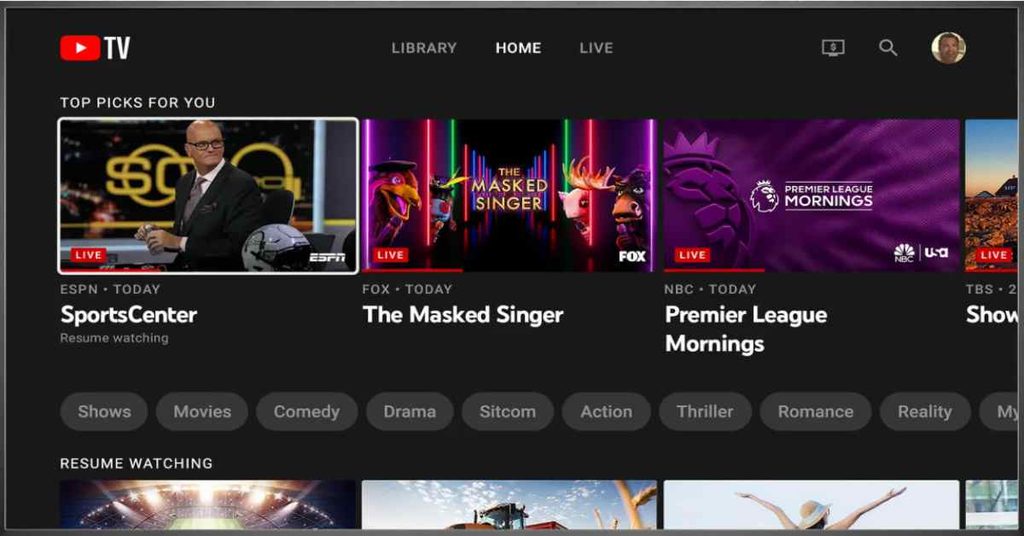
YouTube TV offers live television streaming, a cloud DVR, and access through supported devices. Its channel lineup and available features depend on the current subscription and your location.
Key features
- Live TV channels across multiple categories
- Cloud DVR functionality
- Support for compatible streaming devices
- Channel availability that may vary by market
Pricing Plans
| Plan / Offer | Price |
| Main YouTube TV plan | $82.99/month |
| Promotional offer | $59.99/month for 2 months, for eligible new users |
| Sports and Entertainment plans | Check current plan pricing |
Device Compatibility
- Android phones and tablets
- iPhone and iPad
- Android TV and Google TV
- Amazon Fire TV devices
- Apple TV and Roku
- Samsung, LG and selected other smart TVs
- Windows and Mac computers through a supported browser
- Xbox and PlayStation consoles, where supported
Pros
- Broad live TV channel selection.
- Unlimited cloud DVR storage under the main plan’s terms.
- Supports a wide range of streaming devices.
- Multiple household profiles are available.
Cons
- Subscription costs may be higher than some budget-oriented alternatives.
- Not every channel or regional network is available in every location.
2. Hulu + Live TV — Best for Live TV and On-Demand Entertainment
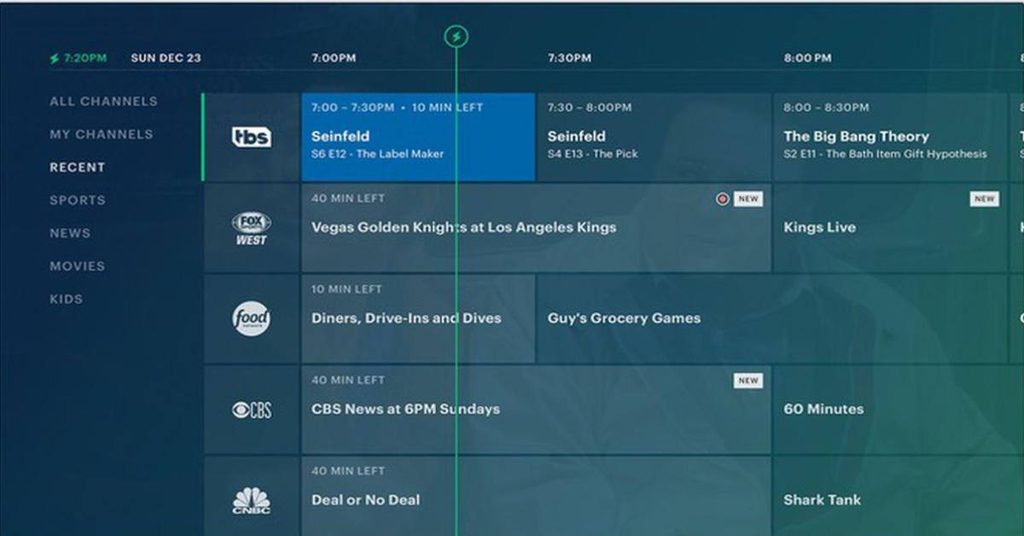
Hulu + Live TV combines live television with Hulu’s on-demand entertainment library. It can be a practical option for households that want access to scheduled television as well as movies and TV series in one subscription.
Key Features
- Live channels covering selected entertainment, news, and sports.
- Access to Hulu’s on-demand library under applicable plan terms.
- Cloud DVR features, subject to current subscription conditions.
- Compatible devices include supported smart TVs, streaming devices, mobile devices, and web browsers.
- Certain bundles may include additional streaming services.
Pricing Plans
| Plan / Offer | Price |
| Hulu + Live TV with Disney+ and ESPN Select | $99.99/month |
| Premium bundle | $109.99/month |
| Eligible promotional offer | $49.99 for the first month, then $99.99/month |
Device Compatibility
- Android phones and tablets
- iPhone and iPad
- Apple TV
- Amazon Fire TV and Fire TV Stick
- Roku and Chromecast
- Supported Samsung, LG and Vizio smart TVs
- Android TV
- Windows and Mac computers
- Xbox and PlayStation consoles
- Nintendo Switch, subject to supported app functionality
Pros
- Combines live television with an on-demand entertainment library.
- Includes unlimited cloud DVR with eligible Live TV plans.
- Offers access to Disney+ and ESPN content through the included services.
- Supports a variety of TVs and mobile devices.
Cons
- Higher monthly cost than budget-focused streaming services.
- Live TV includes advertising under applicable plans.
- Local channels and sports programming vary by market.
- Some premium networks require paid add-ons.
Best For: Viewers who enjoy both live television and on-demand shows.
3. Sling TV — Best for Flexible Packages
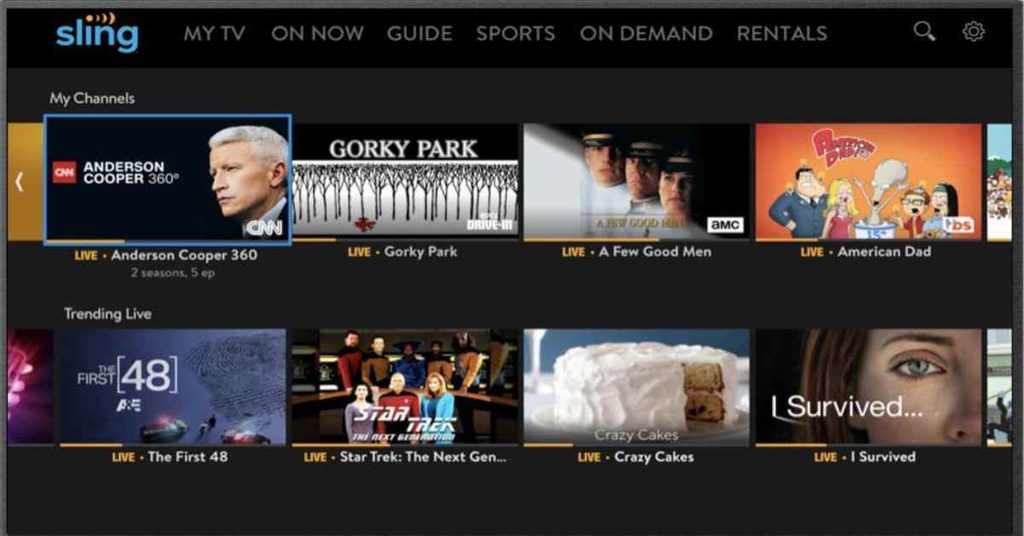
Sling TV offers internet-based live television with package options designed for different viewing preferences. Instead of paying for the same channel selection as every other subscriber, users can compare available packages and select one that better matches their interests.
Key Features
- Package-based live TV subscriptions.
- Selected news, entertainment, and sports channels.
- Compatible apps for supported streaming devices, smart TVs, phones, and tablets.
- Access through supported web browsers.
Pricing Plans
| Plan / Package | Price |
| Sling Essentials | $19.99/month |
| Sling Orange | Around $45.99/month |
| Sling Blue | Around $45.99/month |
| Sling Orange + Blue | Starting at $60.99/month |
Device Compatibility
- Amazon Fire TV and Fire tablets
- Android phones, tablets and selected Android TV devices
- iPhone and iPad
- Apple TV
- Roku devices
- Chromecast
- Selected Samsung, LG and Vizio smart TVs
- Windows and Mac computers through supported browsers
- Xbox consoles and selected other streaming devices
Pros
- Multiple packages to suit different channel preferences.
- Lower entry-level price than many full live TV bundles.
- Works on a broad selection of streaming devices.
- Free ad-supported streaming channels are available through Sling Freestream.
Cons
- Local broadcast channels are limited or unavailable in some markets.
- Adding packages and extras can increase the monthly bill.
- DVR storage is limited on the standard plan unless upgraded.
- Channel access and simultaneous streams depend on the selected package.
Best For: Viewers who want more flexibility when selecting live TV channels.
4. Fubo — Best for Sports Fans
Fubo is a live TV streaming platform with a strong focus on sports programming. Depending on the package and region, subscribers may also find news, entertainment, and other general television channels.
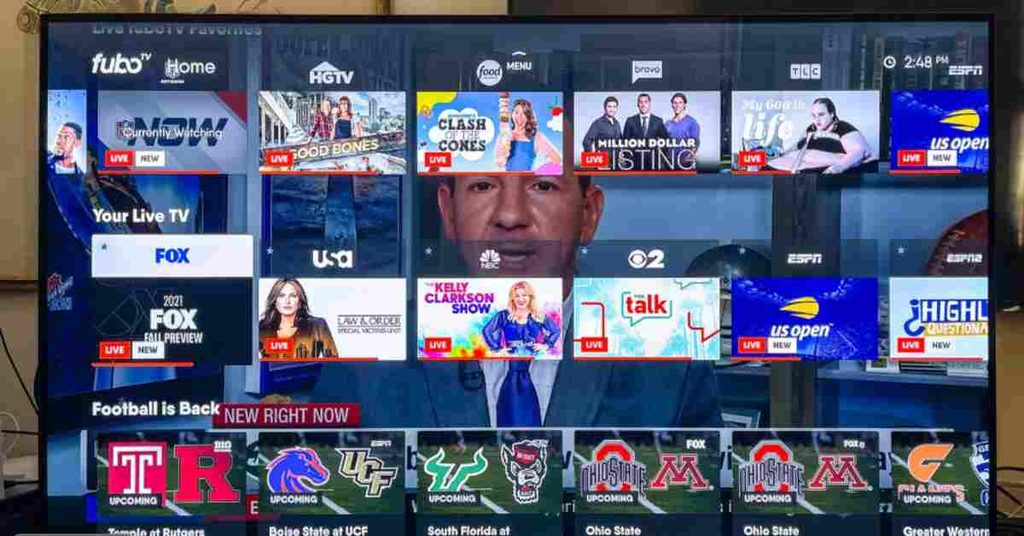
Sports availability should be checked carefully because channel lineups, regional sports networks, event rights, and blackout restrictions can vary.
Key Features
- Sports-focused live television packages.
- Selected news and entertainment channels.
- Compatible apps for supported TVs, streaming devices, and mobile devices.
- Cloud DVR or recording features under applicable plan terms.
- Access to selected live events, depending on channel rights and location.
Pricing Plans
| Plan / Package | Price |
| Fubo Core | $88.99/month after the applicable trial |
| Fubo Ultra | $98.99/month |
| Fubo Sports | $64.99/month |
| Fubo Latino | $19.99/month after trial |
Device Compatibility
- Amazon Fire TV devices
- Android TV and Google TV
- Apple TV
- Roku
- Supported Samsung, LG and Vizio smart TVs
- Android phones and tablets
- iPhone and iPad
- Windows and Mac computers through supported browsers
- Selected gaming consoles and streaming devices
Pros
- Sports-focused live TV programming.
- Selected news and entertainment channels are also available.
- Unlimited cloud DVR is included with applicable plans.
- Many plans support multiple simultaneous streams at home.
Cons
- Monthly prices can be relatively high.
- Regional sports fees may increase the total cost.
- Sports rights, channels and blackout restrictions vary by market.
- Not every desired sports network is necessarily included.
Best For: Viewers who prioritize live sports and related programming.
5. Philo — Best for Entertainment on a Budget
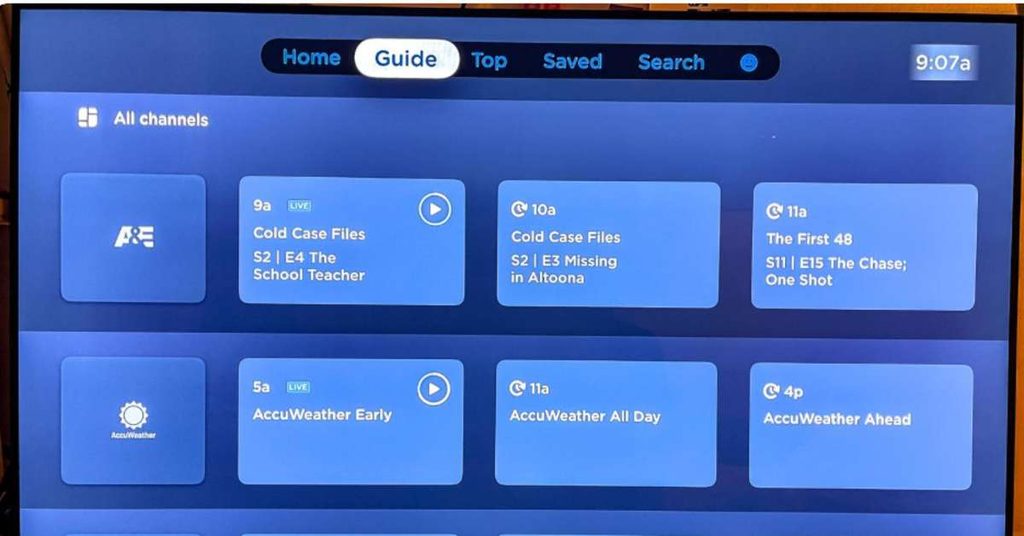
Philo is an entertainment-focused live TV service for viewers who primarily watch lifestyle, reality, and general entertainment programming. Its channel selection is more specialized than that of many broad live TV packages, so it may not suit households that depend on extensive live sports or local broadcast channels.
Key Features
- Live entertainment and lifestyle channels.
- Selected on-demand programs.
- DVR features subject to the current service terms.
- Apps for supported streaming devices, smart TVs, and mobile devices.
- Online account management and subscription options.
Pricing Plans
| Plan / Option | Price |
| Philo standard subscription | Check the current official rate |
| Premium add-ons | Additional charges may apply |
| Promotional offers | Subject to eligibility and availability |
Device Compatibility
- Android TV devices certified for Google Play
- Apple TV
- Amazon Fire TV and Fire TV Stick
- Roku
- Chromecast
- Supported Samsung, LG and Vizio smart TVs
- Android phones and tablets
- iPhone and iPad
- Windows PCs and Mac computers through supported browsers
Compatibility depends on the device model and operating system version.
Pros
- Focuses on entertainment and lifestyle channels.
- Can be suitable for viewers who do not need extensive live sports coverage.
- Supports many popular streaming devices.
- Offers DVR and on-demand features under its current service terms.
Cons
- Not designed for viewers who need a comprehensive sports lineup.
- Local broadcast channel availability is limited.
- The channel selection is more specialized than broad live TV bundles.
- Premium add-ons can increase the overall cost.
Best For: Viewers who prioritize entertainment channels over a broad selection of live sports.
Key Features to Look For
When comparing legal IPTV providers, focus on features that directly affect your viewing experience.
1. Verified Content Licensing
Choose providers that clearly identify their company, service terms, supported regions, and content offering. Check whether the provider has the appropriate distribution rights for the channels you want to watch.
2. Live TV and On-Demand Content
Some subscriptions focus on live television, while others combine live channels with movies, series, cloud DVR, or on-demand libraries. Select a plan that matches your viewing habits.
3. HD and 4K Streaming
Many services offer HD streaming, while 4K availability depends on the provider, program, device, and subscription tier. A 4K-capable television alone does not guarantee 4K playback.
4. Electronic Program Guide
An electronic program guide (EPG) displays channel schedules and upcoming programs. It makes it easier to browse live TV and plan what to watch.
5. DVR and Replay Options
Cloud DVR, catch-up television, and replay features can help you watch programs after their original broadcast. Storage limits, retention periods, and availability differ by service.
6. Transparent Subscription Terms
Review monthly costs, promotional periods, renewal prices, cancellation policies, and any additional equipment or regional fees before signing up.
How to Set Up a Legal IPTV Service
1. Choose a service based on your preferred channels, budget, and location.
2. Review its current subscription plans and terms.
3. Confirm that your streaming device is supported.
4. Subscribe through the provider’s official website or an authorized app store.
5. Install the official app and sign in.
6. Check the channel lineup and playback quality.
Some services require a compatible smart TV, streaming device, phone, tablet, or web browser. Confirm device compatibility before paying for a subscription.
Legal IPTV vs. Illegal IPTV
| Feature | Legal IPTV | Illegal IPTV |
| Content Rights | Properly licensed content | Unauthorized content |
| Pricing | Transparent subscription plans | Often suspiciously cheap offers |
| Security | Official apps and websites | Potential malware and phishing risks |
| Reliability | Official service support | Streams may stop unexpectedly |
| Customer Support | Official support channels | Often difficult to verify |
| Payment | Clear billing and cancellation terms | Unclear payment or refund policies |
| Legal Status | Authorized distribution | May violate copyright laws |
| Examples | YouTube TV, Hulu + Live TV, Sling TV | Unverified services without content rights |
How to Choose the Best Legal IPTV Service
Consider these factors before subscribing:
Budget: Compare the regular monthly subscription price, not just promotional offers.
Channels: Check that the service carries the channels you actually watch.
Sports:Confirm the availability of your preferred leagues, teams, and sports networks.
Entertainment:Compare movies, lifestyle channels, news, and on-demand libraries.
Devices: Make sure the service works with your TV, streaming device, or mobile device.
DVR and simultaneous streams: Review the limits and conditions included with each plan.
Availability: Check whether the service and the channels you want are available in your area.
The best choice is the service that meets your viewing needs at a price you are comfortable paying.
Streaming Performance
Streaming quality depends on the provider’s infrastructure, your internet connection, device performance, Wi-Fi signal, and the particular program being watched.
A good legal streaming service should provide consistent playback under suitable network conditions, but uninterrupted streaming cannot be guaranteed.
Factors That Affect Performance
- Internet speed: Insufficient bandwidth can cause buffering or reduced picture quality.
- Network congestion: Multiple devices streaming simultaneously may affect performance.
- Wi-Fi strength: Distance from the router and interference can interrupt playback.
- Device performance: Older hardware or outdated software may struggle with high-resolution video.
- Provider availability: Service outages or content restrictions can affect access.
Tips for Smoother Streaming
- Use a wired Ethernet connection when practical.
- Move closer to your Wi-Fi router or improve signal coverage.
- Close unnecessary downloads and bandwidth-heavy applications.
- Restart the streaming app and update your device.
- Lower the video quality if buffering continues.
- Check the provider’s official status page if multiple channels stop working.
Customer Support
- Account access and password recovery
- Billing, renewals, and cancellation
- Device activation and app compatibility
- Playback errors and buffering
- Local channel availability
- DVR and recording features
Which Service Should You Choose?
- For general live TV: Compare YouTube TV and Hulu + Live TV based on local channels and your preferred programming.
- For flexible packages: Consider Sling TV if its available channels match your needs.
- For sports: Compare Fubo’s current sports lineup against the events and leagues you actually watch.
- For entertainment on a budget: Review Philo if you do not need a broad selection of live sports or local broadcast channels.
Is Legal IPTV Safe?
A legitimate IPTV service can be a safe and convenient way to stream television, but users should still take basic security precautions. Legal status and cybersecurity safety are related but separate issues: a service’s licensing does not automatically guarantee that its apps or website are secure.
- Download applications from official app stores or verified provider websites.
- Confirm the provider’s identity, contact details, terms, and privacy policy.
- Use a unique password and enable additional account security where available.
- Pay through reputable payment methods and review recurring billing terms.
- Avoid services that promise every premium channel for an implausibly low price without identifying their licensing arrangements.
- Do not provide banking details, passwords, or device access to unverified sellers.
- Check local copyright laws and the provider’s territorial restrictions.
Best Legal IPTV Alternatives
1. Free Ad-Supported Streaming
Services such as Pluto TV and Tubi provide selected free content, with advertising and regional availability restrictions. They are useful for viewers who want to avoid another monthly subscription.
2. Network Streaming Apps
Broadcasters may offer official apps or websites with live streams, selected full episodes, news, and catch-up programming. Access may depend on location or a participating TV subscription.
3. On-Demand Streaming Platforms
Netflix, Disney+, and other on-demand services focus on movies, original series, and entertainment libraries rather than serving as complete replacements for live television.
4. Official Sports Streaming Services
Sports leagues, broadcasters, and authorized streaming partners may offer subscriptions for particular competitions or events. Confirm blackout rules and local rights before paying.
5. Antenna-Based Local TV
In areas with suitable reception, an over-the-air antenna can provide access to available local broadcast channels without a monthly television subscription.
The best alternative depends on whether you prioritize live news, sports, local channels, movies, or lower monthly costs.
Common IPTV Problems and Solutions
| Common Problem | Possible Solution |
| Buffering or Lag | Check internet speed and restart your router. |
| App Not Working | Update the app or reinstall it from the official app store. |
| Login Failed | Verify your login details and reset your password if needed. |
| Channels Not Loading | Check service availability and your subscription status. |
| Poor Video Quality | Reduce streaming resolution or improve your internet connection. |
| No Audio | Check device volume and audio settings. |
| Device Compatibility Issues | Update your device software or use a supported device. |
| Payment Problems | Verify payment details and contact official customer support. |
| Frequent Disconnections | Switch to a stable Wi-Fi or Ethernet connection. |
| Missing Local Channels | Check your ZIP code, regional availability, and subscription package. |
Final Verdict
The best legal IPTV service in 2026 depends on what you watch and how much you want to spend. YouTube TV and Hulu + Live TV may suit viewers looking for a broad mix of live channels and entertainment. Sling TV is worth considering for its package options, Fubo for sports-focused viewing, and Philo for entertainment and lifestyle channels.
Before subscribing, compare current prices, channel lineups, DVR features, device compatibility, and cancellation terms. Since plans and availability can change, confirm the details directly with the provider.
Choose the service that offers the channels and features you need without paying for extras you will rarely use.
Frequently Asked Questions About the Best Legal IPTV Services
1. What is the best legal IPTV service in 2026?
The best legal IPTV service depends on your viewing needs. YouTube TV offers a broad live TV experience, Hulu + Live TV combines live television with on-demand entertainment, Sling TV provides flexible packages, Fubo focuses on sports, and Philo specializes in entertainment and lifestyle channels.
2. Is IPTV legal in the United States?
Yes, IPTV technology is legal in the United States. However, providers must have the necessary rights to distribute the channels and content they offer. Consumers should check licensing information, service terms, and the provider’s identity before subscribing.
3. What are the best legal IPTV providers for live TV?
YouTube TV, Hulu + Live TV, Sling TV, Fubo, and Philo are established options for internet-based live television in the United States. Their channel selections, prices, sports coverage, and features differ, so compare their current packages before making a decision.
4. Which legal IPTV service is the cheapest?
Sling TV and Philo are worth comparing if you want to manage monthly streaming costs. The cheapest option depends on the current subscription price, available channels, promotional offers, and any additional packages you need.
5. Is YouTube TV a legal IPTV service?
Yes, YouTube TV is a legitimate live TV streaming platform that provides access to television channels through authorized distribution arrangements. Its available channels and features depend on your location and subscription plan.
6. Is Hulu + Live TV legal?
Yes, Hulu + Live TV is a legitimate streaming service offering live television and on-demand entertainment. Its available content, subscription bundles, and features are subject to current plan terms and regional availability.
7. Which legal IPTV service is best for sports?
Fubo is worth considering for viewers who prioritize sports programming. YouTube TV and Hulu + Live TV also carry selected sports channels. Check the exact networks, competitions, regional sports availability, and blackout restrictions before subscribing.
8. What is the difference between legal and illegal IPTV services?
Legal IPTV providers have the appropriate rights to distribute their content. Unauthorized services may offer copyrighted television channels, movies, or sporting events without permission. A professional website, large channel list, or working stream does not prove that a service is licensed.
9. Can I watch local channels with a legal IPTV subscription?
Yes, some legal live TV streaming services provide local broadcast channels. Availability depends on your ZIP code, the provider’s agreements, and your subscription package. Use the provider’s official channel lookup tool to check local coverage.
10. Which devices support legal IPTV services?
Depending on the provider, supported devices may include Android phones and tablets, iPhones, iPads, Amazon Fire TV devices, Apple TV, Roku, compatible smart TVs, and Windows or Mac computers. Check the official app listing for your device model.
11. Do I need a special IPTV box to watch legal IPTV?
No. Many legal streaming services work through official apps on compatible smart TVs, streaming sticks, mobile devices, and computers. A dedicated streaming device is optional if your television already supports the provider’s app.
12. What internet speed is required for legal IPTV?
The required internet speed depends on the streaming platform, video resolution, network conditions, and number of connected devices. HD and 4K streaming generally require more bandwidth than standard-definition video. A stable connection is just as important as raw download speed.
